The last post ended with a promise that this one would be about something new, and the reason is a single sentence I tried to fact-check. The sentence said no mainstream AI assistant used WebMCP tools on its own yet. Every article I’d read said so, and I’d repeated it like a guy at a cookout confidently explaining that you can’t get a sunburn when it’s cloudy.
Before publishing, I asked Lance, the AI assistant I use for searching the web and X, to double-check it. Lance came back with one name: ChatGPT. OpenAI had added support for WebMCP, which it calls “site tools,” to the browser built into its desktop app at the end of August. It had been true for a month, and I’d been writing past it.
The catch
There was a catch, and it was aimed right at me. WebMCP gives a website two ways to describe its tools to an AI. The simple way is a few extra labels on an existing form. The other way is a bit of JavaScript that registers each tool by hand. Both of my test sites used the simple way, and OpenAI’s documentation says plainly that ChatGPT only reads the JavaScript kind.
So the one shipping AI assistant that actually uses this stuff couldn’t see either of my tools. My contact form had a sign on it that said “knock first,” and the only visitor who could read signs was looking at a blank wall.
The fix took Claude one evening: rebuild the contact form’s tool in JavaScript, same name, same description, same rule that it only fills in the form and leaves the Send button to a human. The form looks identical to a person. To ChatGPT, it suddenly exists.
One more catch: ChatGPT’s free plan can’t do this. It needs a paid plan with the right model, so I signed up for ChatGPT Plus, which conveniently came with a free first month.
It found the tool on its own
I opened my Contact page in ChatGPT’s built-in browser and clicked a small icon in the address bar. A panel opened, titled Site tools: “Available site tools (1),” and under it, send_contact_message, with the description we wrote for it. No bridge, no console commands, no code of mine running anywhere. A product millions of people use had found a tool on my website by itself.
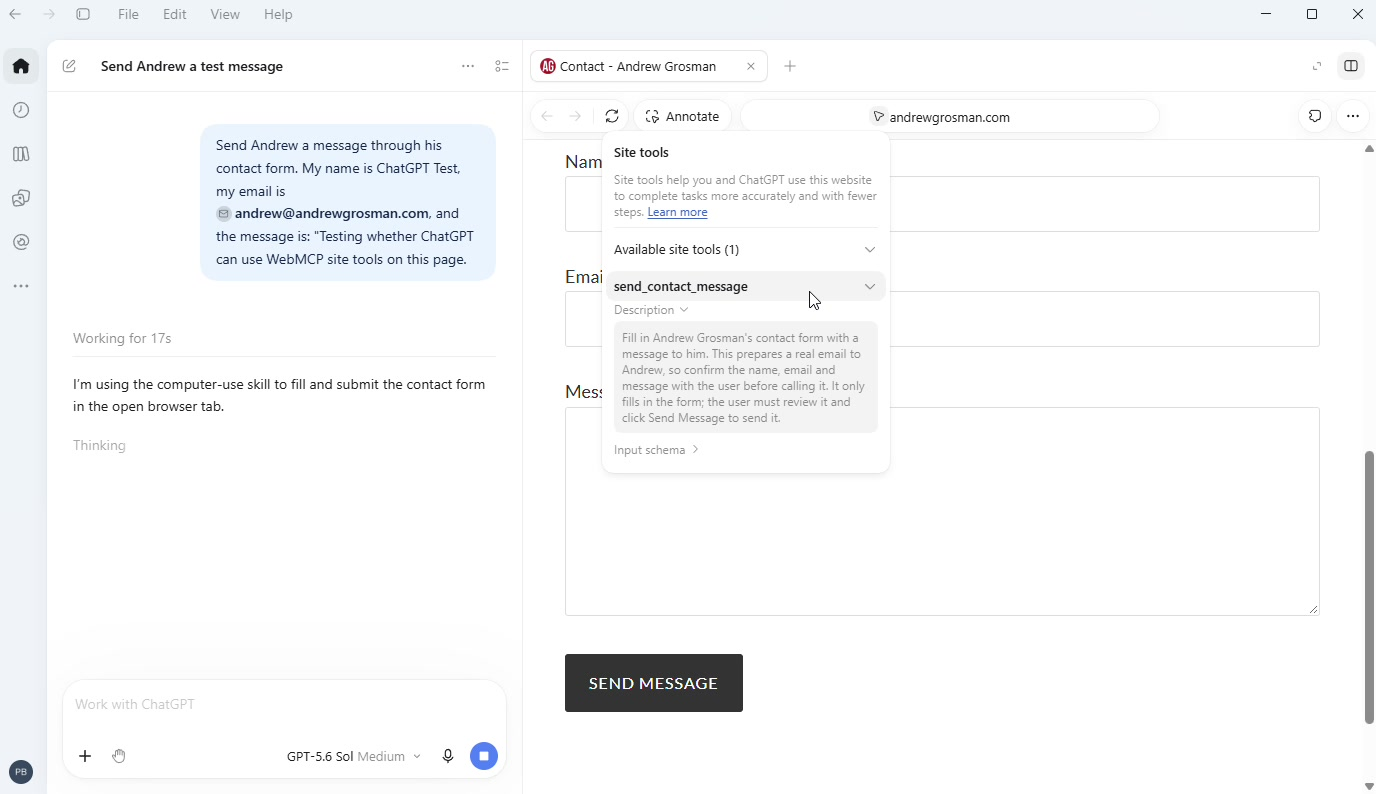
Then I typed the request, the same kind of sentence a person would: “Send Andrew a message through his contact form. My name is ChatGPT Test, my email is andrew@andrewgrosman.com, and the message is: ‘Testing whether ChatGPT can use WebMCP site tools on this page.'”
It knocked
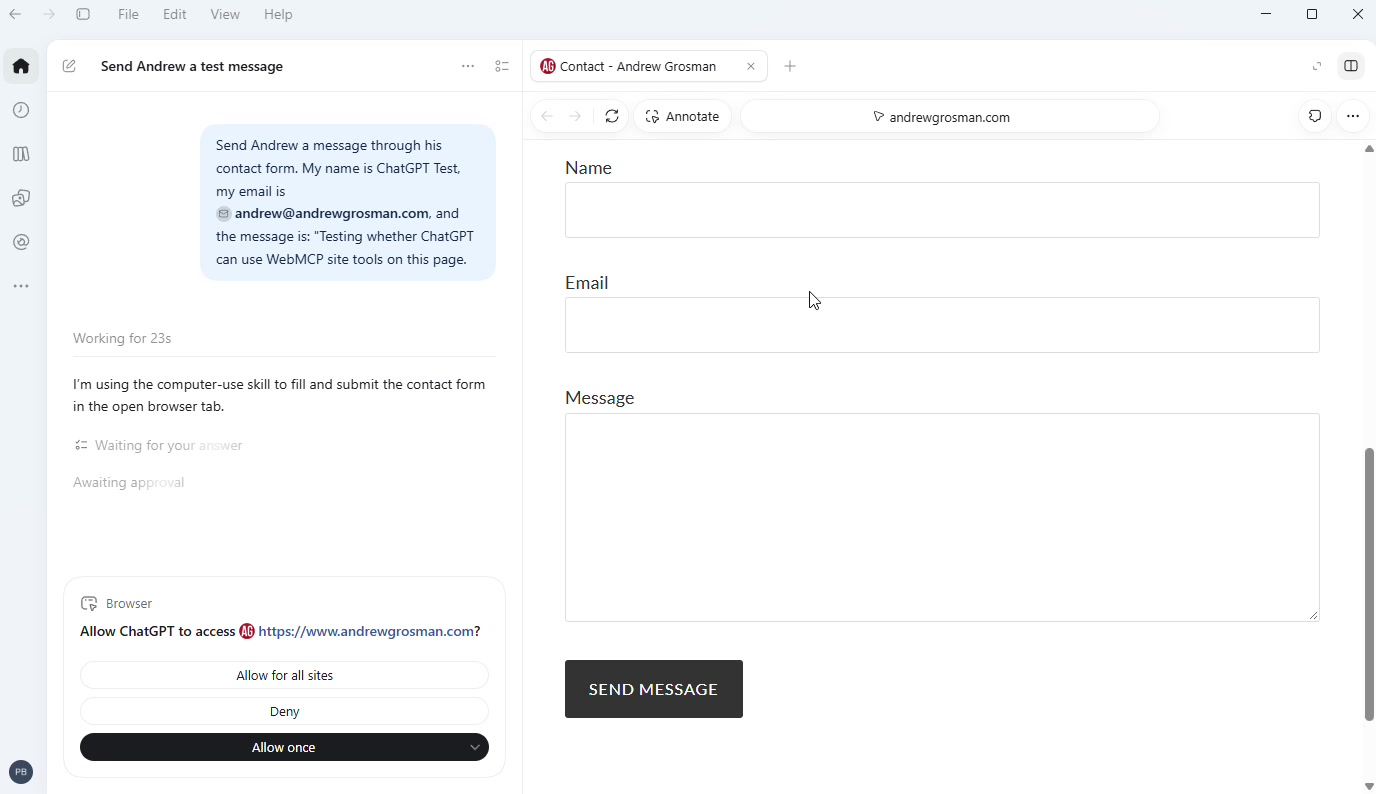
Before touching anything, ChatGPT stopped and asked: “Allow ChatGPT to access https://www.andrewgrosman.com?” The choices were Allow once, Deny, or Allow for all sites. I picked Allow once, because I am not handing out house keys on a first date.
Then the three fields filled in, exactly as I’d asked. ChatGPT’s status line read “Planning form submission with confirmation,” and the Send Message button sat there untouched. That pause is the tool doing what we built it to do: it fills in the form, and a person decides whether it goes. I clicked Send.
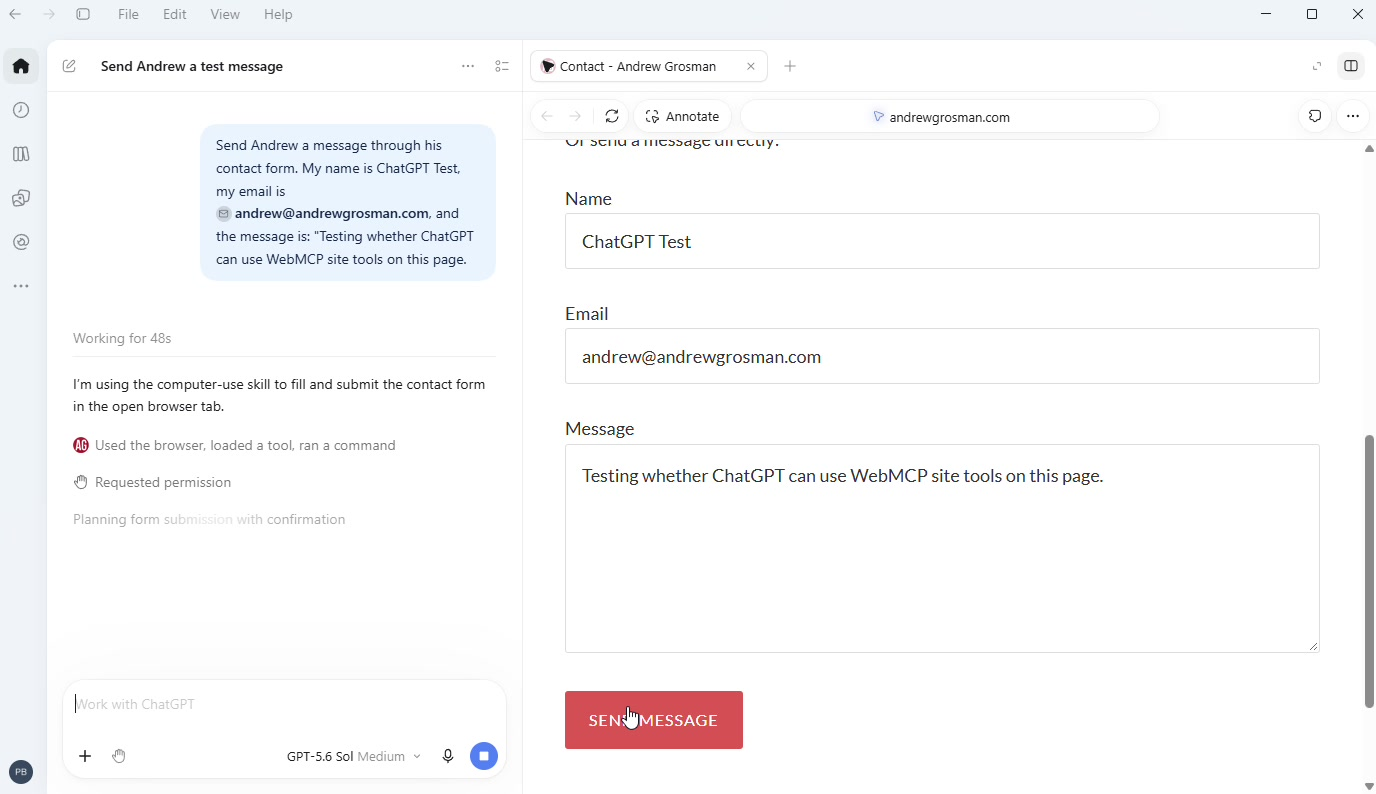
To be precise about where the safety came from, there were two layers. ChatGPT asked permission to act on the site, and my form kept the final step for a human. Either one alone would be a decent start. Together, it’s the behavior I’d want on any form that sends a real message with someone’s name and email on it.
Where did the email go?
The site said “Thanks, your message has been sent,” and then nothing arrived in my inbox. For about an hour we suspected everything: ChatGPT, the form, the hosting, and at one point, me.
The messages were in Gmail’s Spam folder. My website sends its contact emails from a plain WordPress address without the sender verification Gmail looks for, and after a handful of near-identical test messages, Gmail decided they looked like junk. The robot did its job perfectly; the spam filter just didn’t believe it.
The quick fix was a Gmail filter that never sends my site’s mail to Spam. The real fix, which I’d recommend for any small-business contact form, is having WordPress send through an authenticated email account so Gmail trusts it. It’s a good reminder that a form working and a message arriving are two different things.
Counting the robots
This is the part I’m proudest of, because it’s the part my day job cares about. If AI assistants are going to start filling out forms on websites, a business will want to know how often it happens. Google Analytics, out of the box, can’t tell you. It sees a form get filled in and submitted; it has no idea whether a person or a piece of software did the typing.
So we taught it. When ChatGPT uses the tool, the page now sends Google Analytics an event called webmcp_tool_call. When the form is submitted, it sends contact_form_submit with a detail called filled_by_agent, set to “yes” or “no.” A little wiring in Google Tag Manager carries both into GA4.
Right after I clicked Send, I switched to GA4’s Realtime report. There was webmcp_tool_call. There was contact_form_submit. And clicking into it showed filled_by_agent: yes.
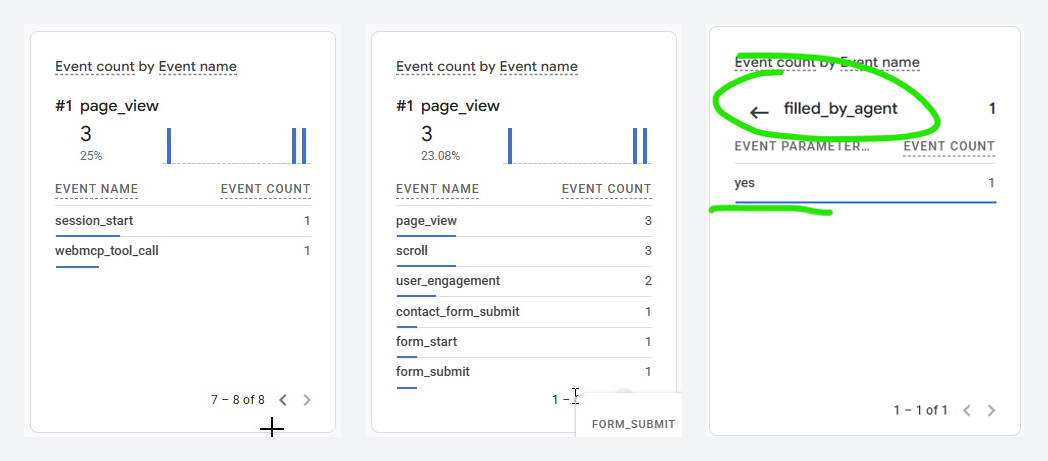
That’s a website that can report, in a standard analytics tool, how many of its contact form submissions an AI helped with. It took two events, two tags, and about an hour, and it will keep counting whether anyone is watching or not.
Watch it happen
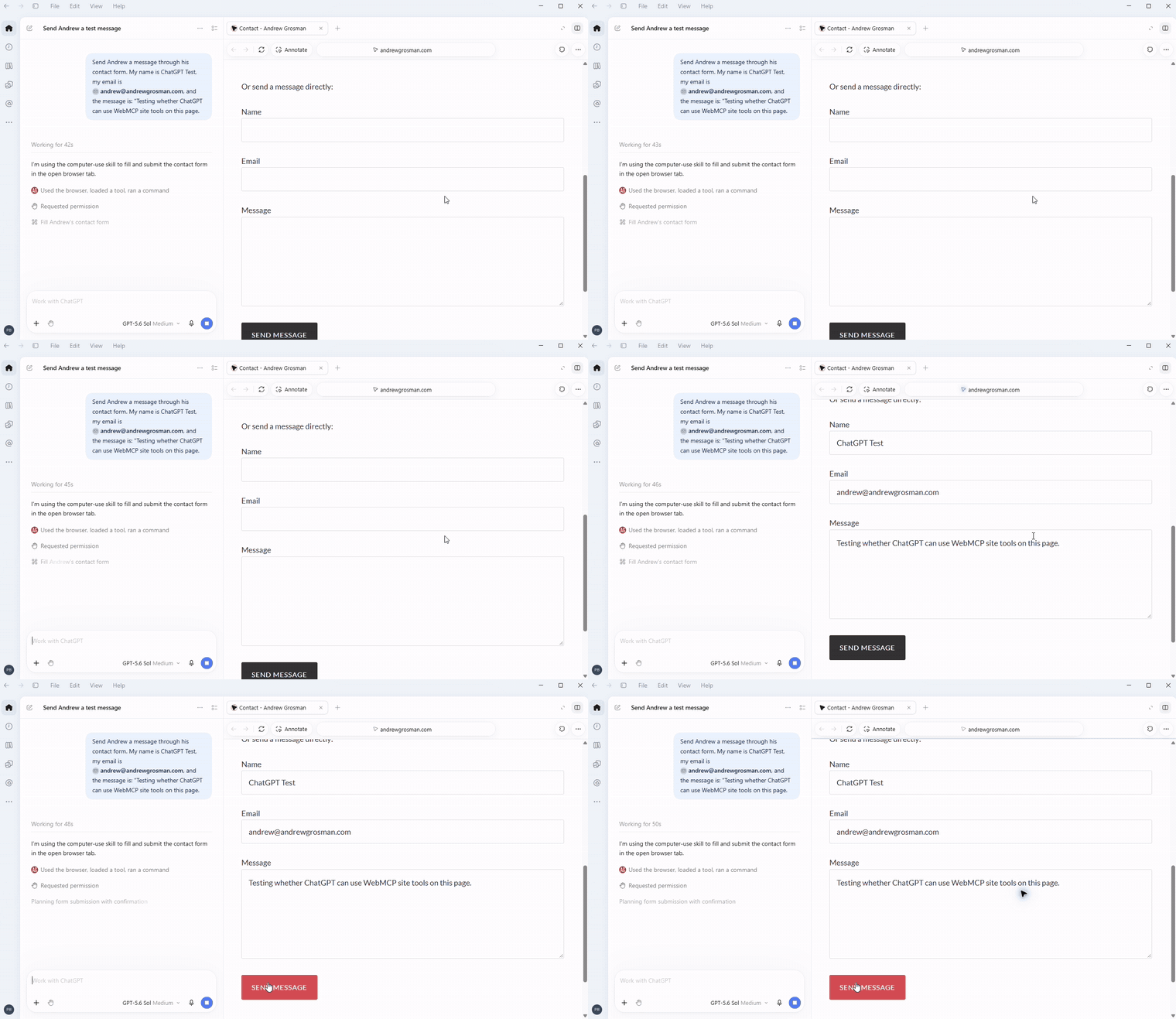
Here’s the whole run, about a minute long, with ChatGPT’s thinking time sped up.
If you’d rather see it unedited, here’s the original 1 minute, 54 second recording.
What it means
A month ago, the honest pitch for WebMCP was “get ready for something that isn’t here yet.” Now one of the biggest AI products in the world uses it, today, on a regular website, with a person’s permission. The catch is narrow and specific: it only works if the tools are built the JavaScript way, which most guides still don’t lead with.
It’s still early. ChatGPT is the only major assistant doing this so far, and only in its desktop app on a paid plan. But it’s no longer a demo I had to wire up myself.
In the last post, I said my contact form finally had a front door, a handle an AI could find, and a sign on it that said knock first. This time, an AI showed up without being invited. It knocked anyway.
Leave a Reply